A Beginner's Guide to Foundational Google Ads PPC Tips
The best way to visualize how to structure a PPC account is to imagine your business is a grocery store. This simple hierarchy is the key:
- Your Account: The entire store itself (e.g., My Plumbing Business).
- A Google Ads Campaign: A major section, like "Plumbing Services."
- An Ad Group: A specific aisle, like "Drain Cleaning."
- Keywords & Ads: The specific signs and products in that aisle (e.g., keyword "clogged drain repair" and an ad about your drain cleaning service).
Why does this matter so much? Because Google rewards relevance.
When your ad group, keywords, and ads are all tightly themed (like putting apple ads in the apple aisle), Google sees you as more helpful.
In practice, this often leads to better ad positions and lower costs per click. These ad group best practices are your blueprint for turning that budget black hole into a customer-generating machine.
For a more structured build, from account architecture to ongoing optimization, see our Google Ads management approach.
Stop Burning Cash: 3 Instant Fixes to Reduce Wasted Ad Spend
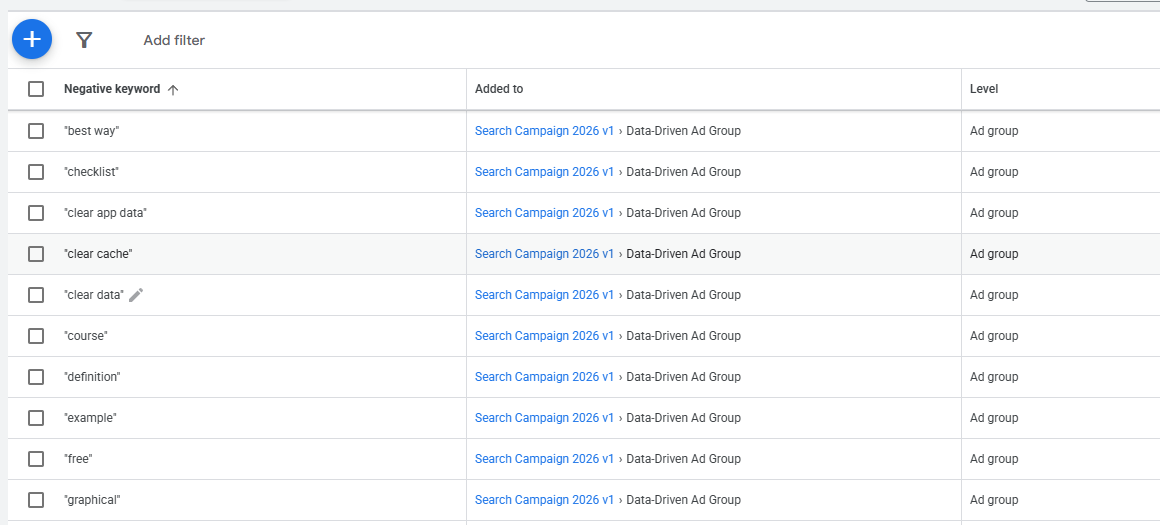
Use Negative Keywords
Feeling like you're just paying for window shoppers and irrelevant clicks? The fastest way to reduce wasted ad spend on Google is by using negative keywords.
Think of these as a "do not show" list for your ads.
If you sell high-end "leather wallets," you can add words like cheap, free, and vegan to your negative keyword list. This one action immediately stops Google from showing your ad to people searching for things you don't offer, saving you money on every click you avoid.
Use Keyword Match Types
Beyond just blocking bad searches, you also need to control how Google interprets your chosen keywords.
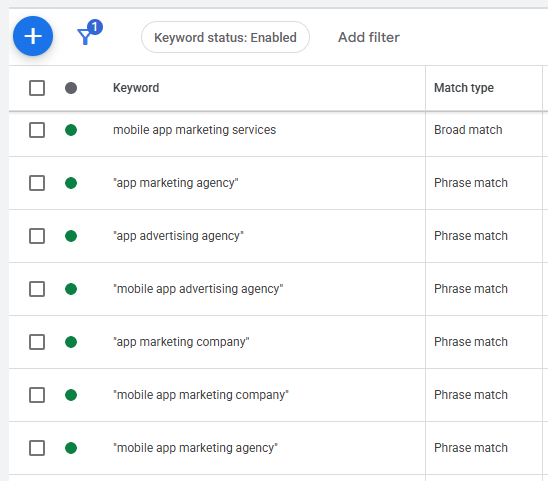
By default, Google often uses "Broad Match," which shows your ad for searches it thinks are related, a common source of wasted budget.
A much safer choice is "Phrase Match." Simply put your keywords in quotation marks, like "emergency plumber".
This tells Google to only show your ad if the search includes that specific phrase, leading to higher-quality clicks.
The broad match vs phrase match keywords debate is simple for beginners: stick with Phrase Match to start.
Narrow Location Targeting
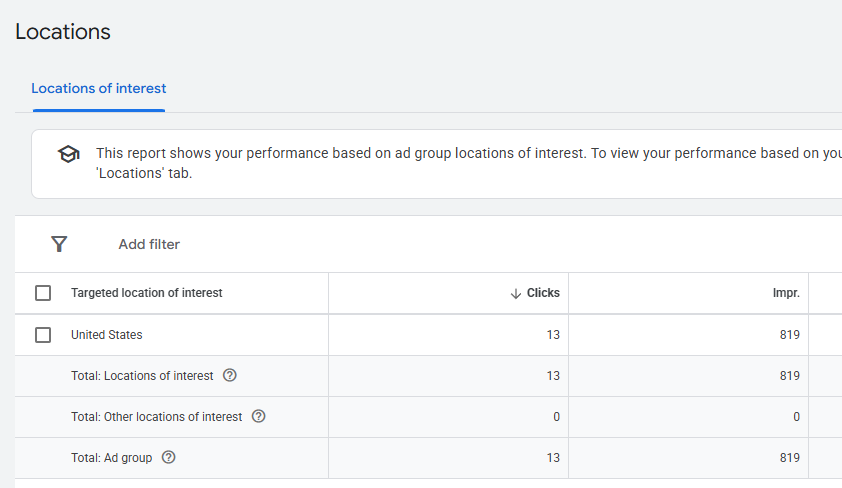
Finally, where your clicks come from is just as important as what was searched. If you run a local pizza shop in Austin, there's zero benefit to your ad being clicked by someone in New York.
Dive into your campaign settings and narrow your location targeting to only the cities, zip codes, or even a radius around your business.
This simple check ensures your ad budget is only spent on people who can actually become customers.
With these filters in place, you're ready to focus on writing ads that attract the right kind of attention.
Write Ads That Beg to Be Clicked
Ad Copy
Filtering out bad traffic is a great start, but it's only half the job.
Now, you need to write an ad that acts as a magnet for your ideal customer.
The words you use, your Ad Copy, are what convince the right person to click.
Your success here is measured by your Click-Through Rate (CTR), which is simply the percentage of people who see your ad and choose to click it.
A higher CTR often means your message is hitting the mark.
Headline
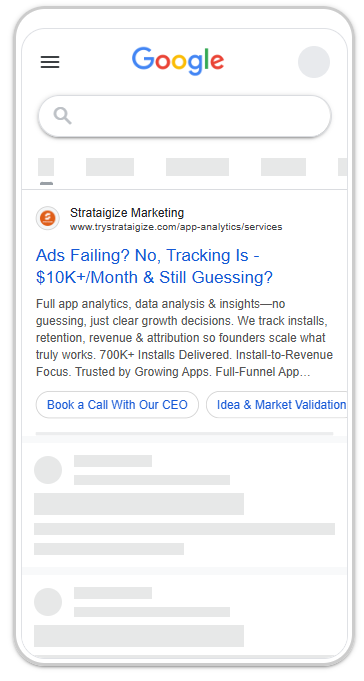
The most powerful element of your ad is its Headline. The single most effective ad copy writing technique is to make your headline a direct answer to what the person searched for.
If someone searches "24-hour emergency plumber," a headline that says "24-Hour Emergency Plumbing Service" instantly confirms they've found the right solution.
This simple match builds immediate trust and makes your ad the obvious, relevant choice to click.
Description
Beneath the headline, your Description is your chance to seal the deal. This is where you can stand out from the competition by being specific. Instead of vague promises, use compelling numbers, promotions, or a sense of urgency.
For instance, "Fast Shipping" is okay, but "Ships in 24 Hours" is far more powerful. These concrete details give searchers a tangible reason to choose you over another advertiser.
Finally, every ad needs a clear Call to Action (CTA), a direct command that tells the user exactly what to do next.
Don't be shy; use powerful verbs like "Shop The Sale," "Get a Free Quote," or "Call Us Now."
A strong CTA turns a curious searcher into a potential lead. But getting the click is just the beginning.
How do you know if these clicks are actually turning into real business?
That brings us to the non-negotiable step that most beginners skip.
Are Your Ads Making You Money? The Non-Negotiable Step Everyone Skips
Getting clicks feels good, but it doesn't pay the bills.
You need to know if those clicks are actually leading to business. This is where the concept of a conversion comes in.
A conversion is simply the most valuable action you want a customer to take on your website after they click your ad.
For an online store, a conversion is a sale. For a plumber, it's a phone call or a "Request a Quote" form submission. It's your definition of success.
Set up conversions tracking
To measure this, you must set up Conversion Tracking.
Think of it as a digital cash register for your advertising. It's a small, invisible piece of code on your website that tells Google, "Hey, that click you just sent me? It resulted in a sale!"
Without this information, you are flying completely blind. You might be spending hundreds of dollars on keywords that generate clicks but never lead to a single customer, and you'd have no way of knowing.
Understanding what is a conversion for your business is the first step to stopping that waste.
Beyond just measuring success, conversion tracking unlocks the true power of Google Ads.
Once Google knows what a successful outcome looks like for you, it can start using its powerful automated systems to find more people who are likely to become customers.
This is the foundation of any smart PPC conversion tracking strategy. It allows you to move beyond just buying clicks and start investing in actual results.
With this data, you can finally tell Google how to get more customers for your money.
For a broader foundation beyond Google Ads settings, read our guide to Google PPC advertising.
Get More Customers for Your Money: A Simple Guide to Bidding & Quality Score
You might think the advertiser willing to pay the most always wins the top ad spot.
Quality Score
Thankfully, that's not true. Google has a system called Quality Score, which is like a reputation score for your ads. It measures how relevant and helpful your keyword, ad, and landing page are to the person searching.
Google rewards high relevance with a powerful combination: better ad positions and a discount on what you pay per click. A high Quality Score is one of the fastest ways to lower your costs.
The good news is that you don't need to be a technical wizard to earn a good score.
The secret to how to improve Google Ads Quality Score lies in the basics you're already learning. It's about ensuring your ad groups are tight and logical. If someone searches for "emergency plumber," your ad should talk about "emergency plumbing," and the page they land on should be all about your emergency services.
That simple alignment tells Google you're a perfect match for the searcher.
With a good score in your favor, you can make smarter decisions about how to pay for your clicks.
Bidding Strategy
This brings you to a key decision: your bidding strategy. In the debate of manual bidding vs smart bidding, the difference is about control. Manual bidding (or Manual CPC) is like driving a stick shift, you set the maximum price you're willing to pay for each click. It gives you full control and is great for learning what things really cost.
Once your conversion tracking is working and feeding Google data on what a new customer looks like, you can unlock more advanced Google Ads bidding strategies. This is where Smart Bidding comes in.
By switching to an automated strategy like "Maximize Conversions," you're essentially telling Google, "You know what a sale looks like for my business.
Use your technology to go find more people like that for my budget."
This shift from buying clicks to buying customers is the ultimate goal, and it all starts with those simple, regular check-ins.
If you’re benchmarking budgets, this Google advertising cost guide breaks down what typically drives CPCs, monthly spend, and ROI expectations.
100 Google Ads PPC Tips To Keep Your Campaigns Optimized
Your 15-Minute Weekly Tune-Up: Simple Checks for Long-Term Success
Great campaigns aren't set on autopilot and forgotten.
But maintaining them doesn't have to take hours.
A quick, 15-minute weekly tune-up is all you need to keep your ads profitable and discover new opportunities. This simple routine is your best defense against wasted ad spend.
Monitor Search Terms Report
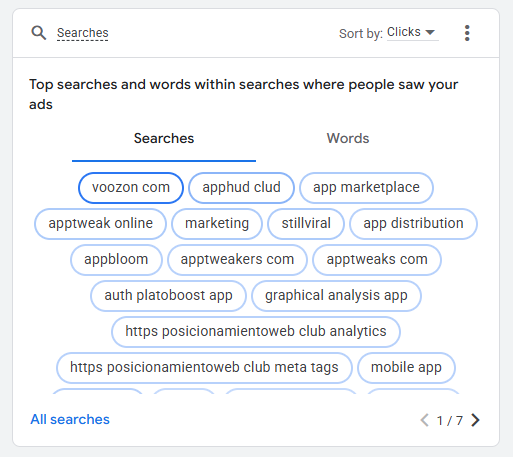
Your first stop should be the Search Terms Report.
This isn't your keyword list; it's the report of exact phrases people actually typed into Google before clicking your ad.
A few minutes here reveals irrelevant searches wasting your money.
For example, if you sell 'glass coffee mugs,' you might find you're paying for clicks from people searching for 'travel coffee mugs.'
A regular review is essential for understanding the search terms report and finding new negative keywords to add each week, instantly stopping that waste.
If you’re building (or rebuilding) from scratch, follow this step-by-step walkthrough on how to run a Google advertising campaign so your structure, tracking, and settings are correct from day one.
Optimize Landing Page
Next, think about where your ads send people. This destination page is called a Landing Page, and its one job is to match the promise you made in your ad.
If your ad promotes a "24/7 Emergency Plumber," the landing page must immediately reinforce that service, not just link to your generic homepage.
Simple landing page optimization for conversions means creating a seamless path from the ad's claim to the page's content. A mismatch is the fastest way to lose a potential customer.
Always Test
Finally, always be testing. This sounds complex, but you can start with a simple experiment called A/B Testing : running two slightly different ads to see which performs better.
For example, you could test a headline like "Artisan Bread Baked Daily" against "Order Fresh Sourdough Online." Google's data will quickly show you the winner.
This is one of the easiest ppc A/B testing examples to implement. This simple google ads campaign optimization checklist, checking search terms, aligning landing pages, and testing ads, is the engine of long-term success.
To ground your strategy in current benchmarks, review these Google Ads statistics for 2026, useful for setting realistic targets for CTR, CPC, and conversion performance.
You're Ready: How to Turn These Tips into Real-World Results
Before reading this guide, the Google Ads dashboard likely felt like a confusing maze. Now, you can see the clear path to success: building a solid account structure, cutting wasted spend, writing ads that connect, measuring what truly matters, and then optimizing your results. You've transformed numerous data points from a source of confusion into a logical framework for growth.
But knowledge without action can lead to paralysis. Instead of trying to implement all these tips at once, focus on the moves that make the biggest difference right away. Here is your initial Google Ads action plan:
- Your First 3 Actions:
- Review your account structure and create tight ad groups.
- Find and add 10 negative keywords from your Search Terms Report.
- Make sure you have Conversion Tracking set up.
Think of this journey not as a mountain to be climbed in a day, but as a series of small, confident steps.
These foundational PPC tips for beginners are your starting point.
Each time you pause a poor-performing keyword or add a negative term, you aren't just checking a box, you are taking control of your budget and building momentum.
You're no longer just spending money; you're investing intelligently.