If you’ve ever connected your Shopify store to Google Ads and then compared the numbers, you’ve probably had this moment:
“Why doesn’t this match?”
Orders in Shopify don’t line up with purchases in Google Ads. Sometimes Google Ads shows a little more purchases. (It's important to note though that the difference shouldn't be pretty significant. Otherwise, you need to check if you have some tracking issues.)
And even when traffic comes directly from Google Shopping to your store, the data still doesn’t reconcile.
This isn’t a bug. It’s not (usually) a broken setup. And it doesn’t mean one platform is “wrong.”
It means Shopify and Google Ads are designed to answer very different questions.
Understanding that difference is the key to using both correctly, and avoiding bad decisions based on misleading comparisons.
This same data misalignment issue shows up in app environments too, in our Google Ads security app case study, the campaign was optimizing toward misleading signals until we realigned Google Ads, Firebase, and RevenueCat, which unlocked a 12,833% increase in trial starts.
When the numbers do match (and why that’s misleading)
.png)
Let’s start with the part that messes with your head the most.
Yes, there are days when Shopify and Google Ads match perfectly.
Orders. Revenue. Purchase counts.
Side by side, they look identical.
That’s usually when:
- The customer clicks a Google ad
- Purchases immediately
- On the same device
- With full cookie consent
- And no tracking interruptions
On those days, it feels like validation:
“See? The setup is correct. This should always match.”
But that assumption is the trap.
Because those days are the exception, not the rule.
Two platforms, two truths
Let’s start with the most important distinction.
Shopify measures transactions
Shopify is a commerce system. Its job is to record what actually happened:
- Was payment successful?
- Was an order created?
- How much money was charged?
If an order exists in Shopify, it’s real. Shopify’s numbers represent ground truth for revenue, orders, refunds, and fulfillment.
Google Ads measures attribution
Google Ads, on the other hand, is not an accounting system. It is an advertising optimization platform.
Its core question is not:
“What did you sell?”
It’s:
“Which ads should get credit for influencing a sale?”
That difference alone explains most discrepancies.
Why “direct linking” doesn’t mean “same data”
Many merchants assume that because Google Ads links directly to Shopify. especially via Google Shopping, the data should match.
The path might look simple:
Google Ad → Shopify product → Checkout → Thank-you page
But behind the scenes, each system uses different logic, timing, and rules.
- Shopify records the order on the server when payment is confirmed.
- Google Ads records a conversion event when tracking signals fire, often in the browser.
- Google Ads may also model or infer conversions when signals are missing.
Same journey. Different measurement systems.
.png)
The biggest reasons the numbers differ
1. Orders vs conversion events
Shopify counts orders.
Google Ads counts conversion events.
That distinction matters more than it sounds.
A single real Shopify order can result in:
- One Google Ads conversion
- Multiple Google Ads conversions
- Or zero Google Ads conversions
This can happen because:
- The thank-you page reloads
- The confirmation page is revisited from email
- Multiple tags fire at once
- Events are triggered twice by mistake
Shopify still sees one order. Google Ads may see two or more purchase events.
2. Conversion attribution windows
Google Ads only counts purchases that happen within a defined time window after an ad click (for example, 30 or 90 days).
If a customer:
- Clicks a Google ad
- Comes back weeks later via another channel
- Then purchases
Shopify counts the order. Google Ads may not.
Shopify has no concept of attribution windows. An order exists or it doesn’t.
3. Attribution modeling (especially data-driven)
Modern Google Ads accounts often use data-driven attribution.
This means:
- One purchase can be partially credited to multiple ads
- Conversion credit is distributed across touchpoints
- Campaign-level totals can exceed actual orders
At an account level, this can make Google Ads show more conversions than Shopify, even though no extra orders exist.
This isn’t inflation in the accounting sense, it’s attribution math.
4. Modeled conversions and privacy gaps
Privacy changes (GDPR, iOS tracking limits, consent banners) have made perfect tracking impossible.
When Google Ads can’t observe a purchase directly, it may:
- Use historical patterns
- Apply statistical modeling
- Infer that a conversion likely occurred
If that inferred conversion overlaps with a real Shopify order, Google Ads can appear higher.
Shopify doesn’t model. It only records confirmed transactions.
5. Multiple conversion sources connected
Many stores unintentionally double-count in Google Ads by using:
- A Google Ads purchase tag
- A purchase event imported from Google Analytics 4
- A Google Tag Manager setup
If these aren’t properly deduplicated, one Shopify order can trigger:
- Two or three “purchase” conversions in Google Ads
Shopify remains unaffected. Google Ads inflates.
6. “Every” vs “One” conversion setting
In Google Ads, purchase actions can be set to count:
- Every conversion
- Or One conversion per ad interaction
If set to “Every,” repeat events or multiple purchases from the same user may all be counted.
Shopify still counts orders normally.
7. Value differences (tax, shipping, currency, timezone)
Even when purchase counts align, revenue often doesn’t.
Google Ads may:
- Exclude shipping
- Exclude tax
- Convert currency
- Round values
- Apply default values if data is missing
Shopify shows the exact amount charged.
You an learn more about Shopify data disruptions in reports and analytics here.
Why Google Ads can show more purchases than Shopify
This is the most confusing scenario, and the one that causes the most panic.
If Shopify is the source of truth, how can Google Ads be higher?
Because Google Ads is not counting “orders.” It’s counting:
- Conversion events
- Attribution credit
- Modeled outcomes
A single real order can:
- Fire multiple events
- Be credited across campaigns
- Be inferred once tracking is lost
- Be counted as “Every” instead of “One”
None of this creates fake revenue in Shopify. It just creates more marketing signals.
Which platform should you trust?
The answer depends on the question you’re asking.
For revenue, finance, and operations
Trust Shopify.
If you’re answering:
- How much did we sell?
- How many orders did we fulfill?
- What was our real revenue?
Shopify is the authority.
For ad optimization and performance
Trust Google Ads, even if it doesn’t match Shopify.
Google Ads doesn’t need perfect truth. It needs consistent signals to decide:
- Which ads to show
- Which audiences to target
- Which keywords to bid on
Trying to force Google Ads to match Shopify exactly often hurts performance.
If you're interested in launching a campaign on Google Ads but not sure if it would fit your marketing budget, here's a sneak peak of how much it costs.
What “normal” discrepancies look like
As a rule of thumb:
- 5–15% difference → very normal
- 15–30% difference → common but might need attention, especially with mobile/iOS traffic
- 30%+ difference → usually a setup or duplication issue worth auditing
The goal is directional alignment, not identical numbers.
If you need help with setting up data tracking, contact us and we'll help you.
How to reduce the gap
You can’t eliminate discrepancies entirely, but you can minimize them:
- Use one primary purchase conversion in Google Ads
- Avoid importing duplicate purchase actions
- Ensure proper deduplication between GA4 and Ads
- Enable enhanced conversions or server-side tracking where possible
- Compare trends, not single-day numbers
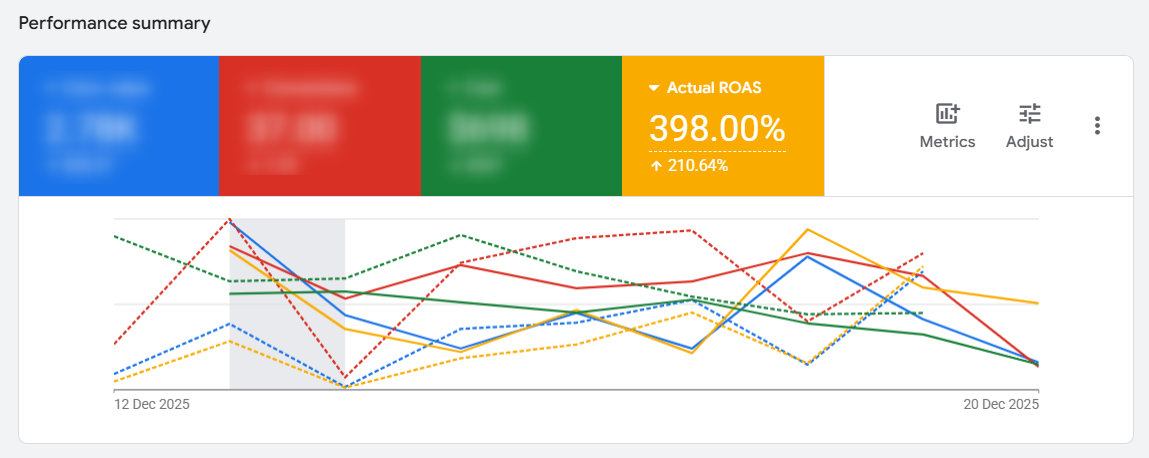
In our experience, performance improved.
ROAS stabilized. Scaling decisions got easier. And we stopped second-guessing profitable campaigns.
The irony? The numbers never fully matched, but results got better.
The real mistake merchants make
The biggest mistake isn’t having different numbers.
It’s assuming the numbers should match and then making decisions based on that assumption.
When merchants pause profitable campaigns because:
“Shopify says Google Ads didn’t drive that many orders”
They’re often turning off ads that Google Ads knows are working, based on its own system.
Final takeaway
When you connect Shopify and Google Ads, you are not syncing one truth.
You are connecting two different measurement philosophies.
- Shopify answers: What did we sell?
- Google Ads answers: What influenced the sale and should get budget next?
They are both right, for their purpose.
The goal isn’t reconciliation.
The goal is understanding.
When you stop forcing them to agree, both platforms become far more useful.
Want this done properly without guessing?
This is exactly the kind of work Strataigize does every day.
They don’t obsess over vanity metrics or forcing platforms to agree.
They focus on:
- Clean signal architecture
- Revenue-first measurement
- Decisions that actually scale profit
If you want your Google Ads campaigns to work for your revenue, not against your sanity, Strataigize can do it for you.
Contact us to get a free marketing audit!